Screen break timer for Android
Look up from your phone every 20 minutes.
Eye Saver runs a timer while you use your phone. When it ends, a break screen covers the app you're in and counts down, so you stop for a moment instead of promising yourself you will. You choose how often breaks come and how long they last.
Free on Android with a banner ad. Premium removes it.
Built around the 20‑20‑20 habit
Every 20 minutes, look at something about 20 feet (6 meters) away for at least 20 seconds. Eye Saver starts with those times. You can set breaks anywhere from every minute to once an hour, and make each one last 10 seconds to 2 minutes.
- 20 minbetween breaks
- 20 ftabout 6 meters away
- 20 secor longer
At break time
A break screen you can't scroll past
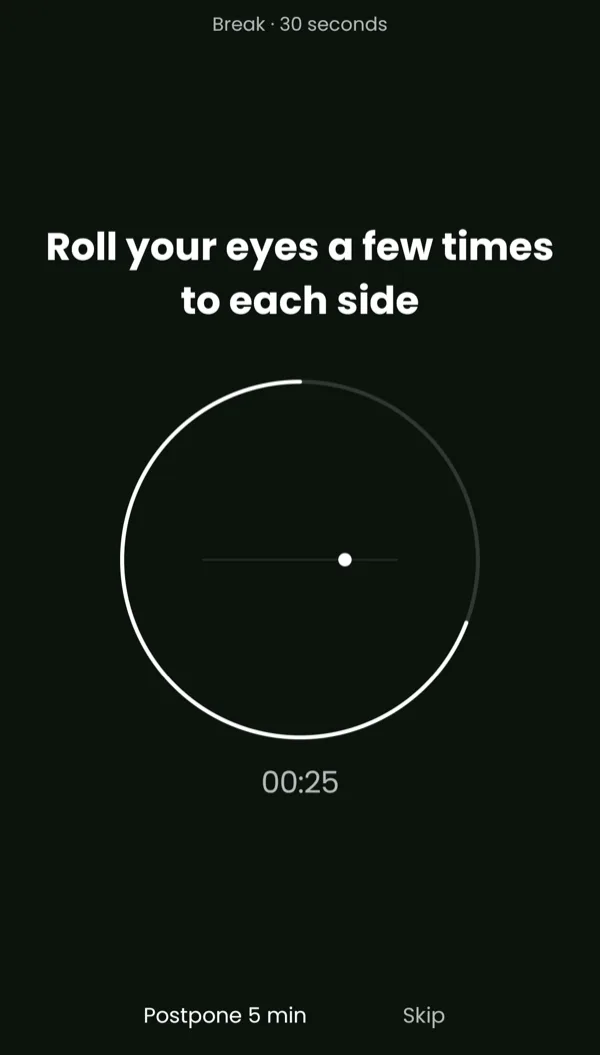
When the timer ends, Eye Saver places a full-screen break over the app you're using. The top line tells you how long the break lasts. Under it you get one thing to do, and a ring that empties as the seconds run out.
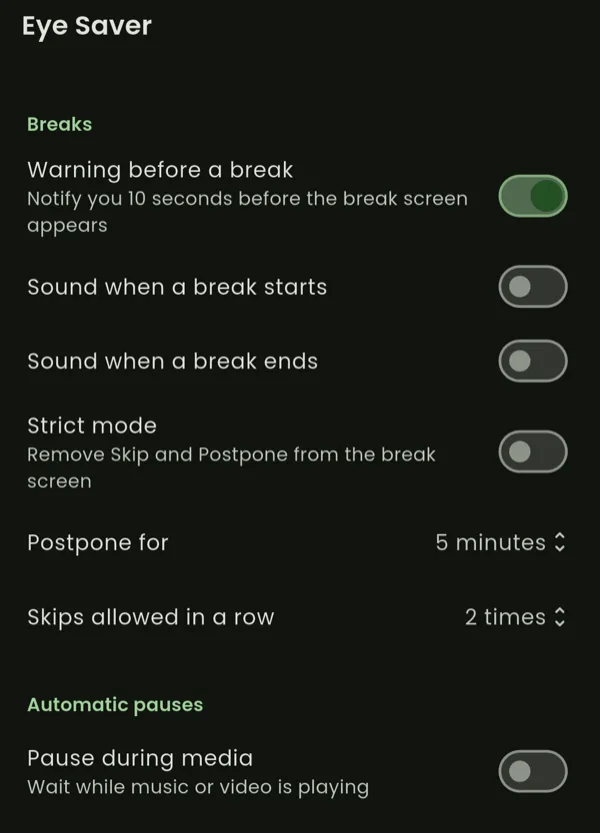
- A heads-up first. With the warning turned on, a notification arrives 10 seconds before the break screen.
- Postpone or skip when you have to. Postpone moves the break back by 1 to 15 minutes. A skip limit of 1 to 5 in a row keeps you from skipping all afternoon.
- Strict mode for the days you mean it. It removes Postpone and Skip, and the break screen stays until the countdown ends.
- Sound and vibration. Add a sound at the start or end of a break. Breaks where you close your eyes end with a double vibration, unless your ringer is on silent.
Things a break might ask you to do
- Look at something about 20 feet (6 meters) away
- Gently close your eyes
- Roll your eyes a few times to each side
- Slowly roll your eyes clockwise
- Blink slowly a few times
- Focus on a point in the far distance
- Have some water
- Stand up and stretch
- Lean back in your seat and relax
The Timer tab
Your next break, in large type
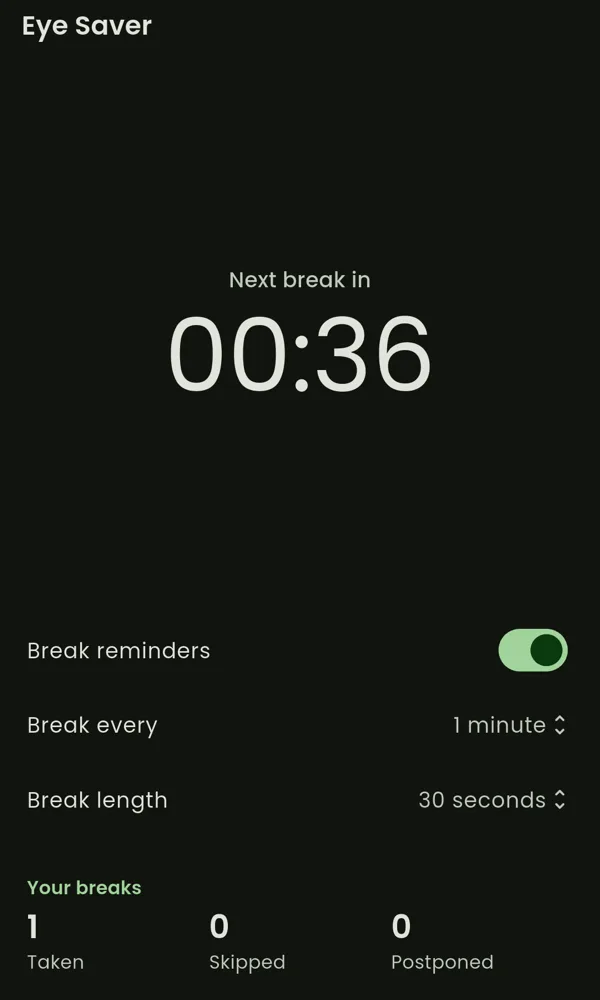
Open the app and the countdown is the first thing you see. Under it you can switch reminders off, change how often breaks come, and change how long they last. The running timer picks up your changes, so you don't start over.
- Pause for a while. Stop the timer for 15 minutes up to 8 hours and it resumes on its own, or turn it off until you switch it back on.
- Keep count. Eye Saver keeps running totals of the breaks you took, skipped, and postponed.
- Restarts with your phone. If the timer was on, it starts again after a reboot or an app update.
- Light or dark. Pick either, or follow your phone's setting.
Automatic pauses
It waits while you're on a call or watching something
You can tell Eye Saver to hold the timer while you're busy. The countdown carries on once you're done.
- During calls. The timer waits while you're on a call.
- During media. The timer waits while music or video is playing.
- In apps you choose (Premium). Pick apps such as your maps app or a game, and the timer waits while one of them is open. This needs Android's usage access permission. Eye Saver checks which app is open on your phone and doesn't send your app list anywhere.
Your data
What Eye Saver sends, and why
There's no account and no sign-in. Your settings and break totals stay on your phone. The app does use four Google services, and each one receives some data.
| Firebase Analytics | Screens you open, onboarding, permission changes, and timer or settings changes. We use it to see which features people use. |
|---|---|
| Firebase Crashlytics | A crash report and device details when the app crashes, so we can find and fix the bug. |
| Google Mobile Ads | Your device's advertising ID and ad activity, to show ads to people on the free version. |
| Google Play Billing | Whether you bought Premium or subscribed. Google takes the payment; we never see your card. |
Try it through one workday
Install Eye Saver, allow the two permissions it needs, and let the timer run. You can change any setting later.